Introduction
Curoxa is a modern digital healthcare platform designed to connect patients and medical professionals through secure, efficient, and accessible online services. It enables users to book consultations, interact with certified doctors, manage health records, and receive medical support from anywhere at any time. This documentation provides a complete guide to understanding, installing, customizing, and using the Curoxa system effectively.
This documentation is created to support developers, administrators, and end users in navigating the platform with confidence. It explains the core features, technical structure, and functional workflows of Curoxa, ensuring smooth implementation and maintenance.
Throughout this document, you will find detailed instructions, best practices, and practical examples to help you maximize the potential of the Curoxa platform.
Key Features
- Online Doctor Consultation
Connect with certified healthcare professionals through secure video, audio, or chat consultations anytime, anywhere.
- Video Consultation Interface
Dedicated telehealth video call screen with live chat, call controls, and a professional consultation experience.
- Smart Appointment Booking
Easily schedule, manage, and track appointments with date selection, consultation preferences, and booking summaries.
- Digital Prescription Page
Professional prescription layouts featuring diagnosis details, medications, doctor notes, and print/download actions.
- Patient Account Dashboard
Manage appointments, medical records, prescriptions, billing information, and account settings from one place.
- Medical Records Management
View, organize, upload, and download healthcare reports, consultation documents, and treatment records.
- PWA Ready
Installable Progressive Web App support that delivers an app-like experience across mobile and desktop devices.
- Smooth Animations with GSAP & AOS
Modern animations and scroll effects powered by GSAP and AOS for a polished user experience.
- 3 Homepage Variations
Multiple homepage demos designed specifically for telehealth, online consultation, and healthcare websites.
- 20+ Inner Pages
Includes doctor profiles, appointment booking, account pages, medical records, prescriptions, blogs, and more.
- 100% Responsive & Mobile-Friendly
Carefully optimized layouts that look perfect across desktop, tablet, and mobile devices.
- Built with Bootstrap 5 & SCSS
Modern development stack with clean, organized code for easy customization and scalability.
- Cross-Browser Compatible
Works seamlessly across Chrome, Firefox, Safari, Edge, and other modern browsers.
- Google Fonts & Icons Included
Comes with modern typography and icon libraries to help create a professional healthcare experience.
- Free Future Updates
Receive future template improvements, enhancements, and compatibility updates at no extra cost.
Folder Structure Overview
📂 Curoxa/
│
├── *.html                    # All html files
│
├── 📂 assets/
│   ├── 📂 css/               # CSS files
│   │
│   ├── 📂 fonts/             # Fonts files
│   │
│   ├── 📂 images/            # All the images
│   │
│   ├── 📂 js/                # JS Files
│   │
│   ├── 📂 scss/              # SCSS files
│
Template Strcuture
HTML Structure
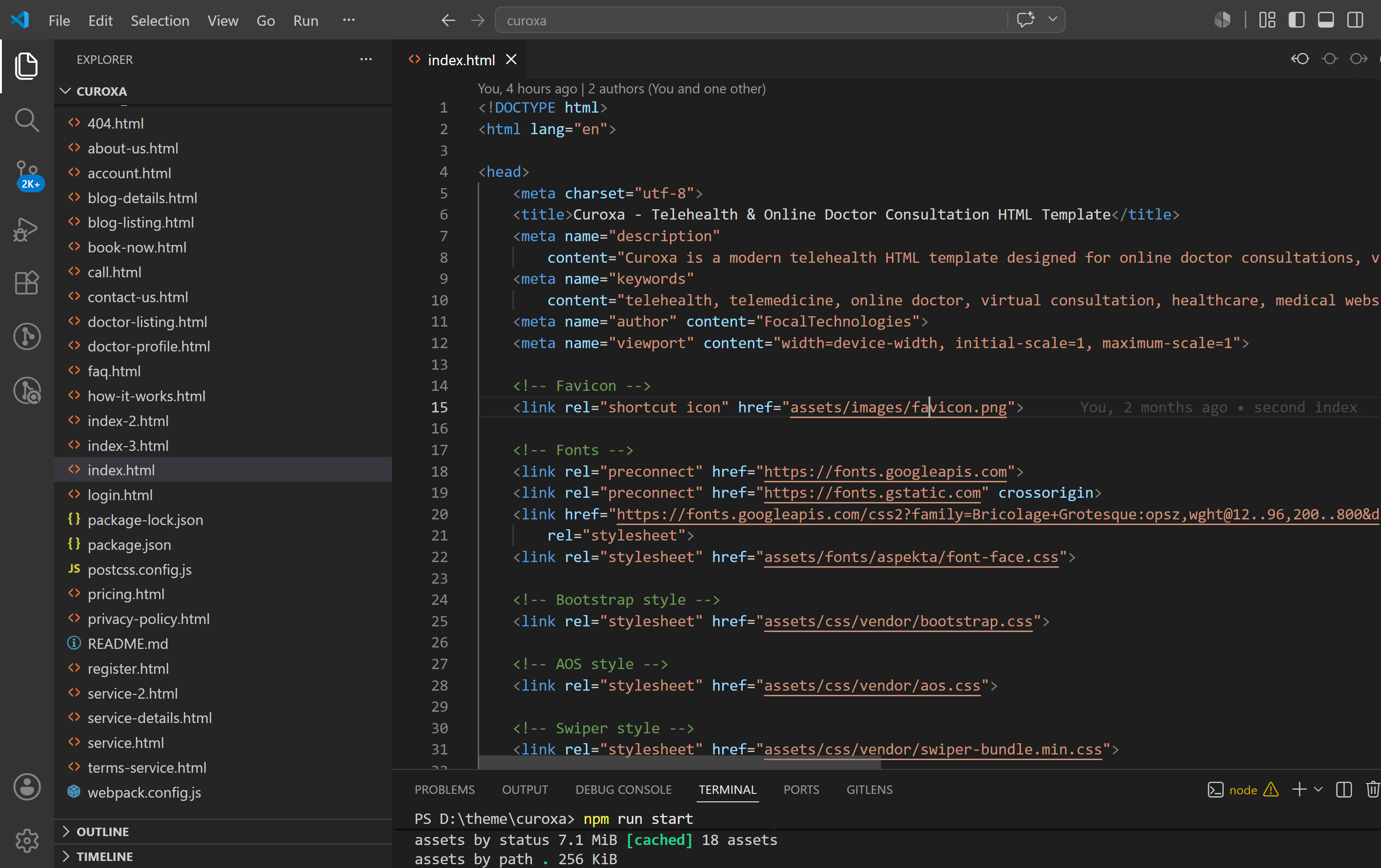
The main content of the template is placed inside the body tag and is organized into different sections such as the header, hero area, services, category, testimonial, and footer. Every page follows the same basic layout style, so it’s easy to understand and update.
SCSS Strcuture
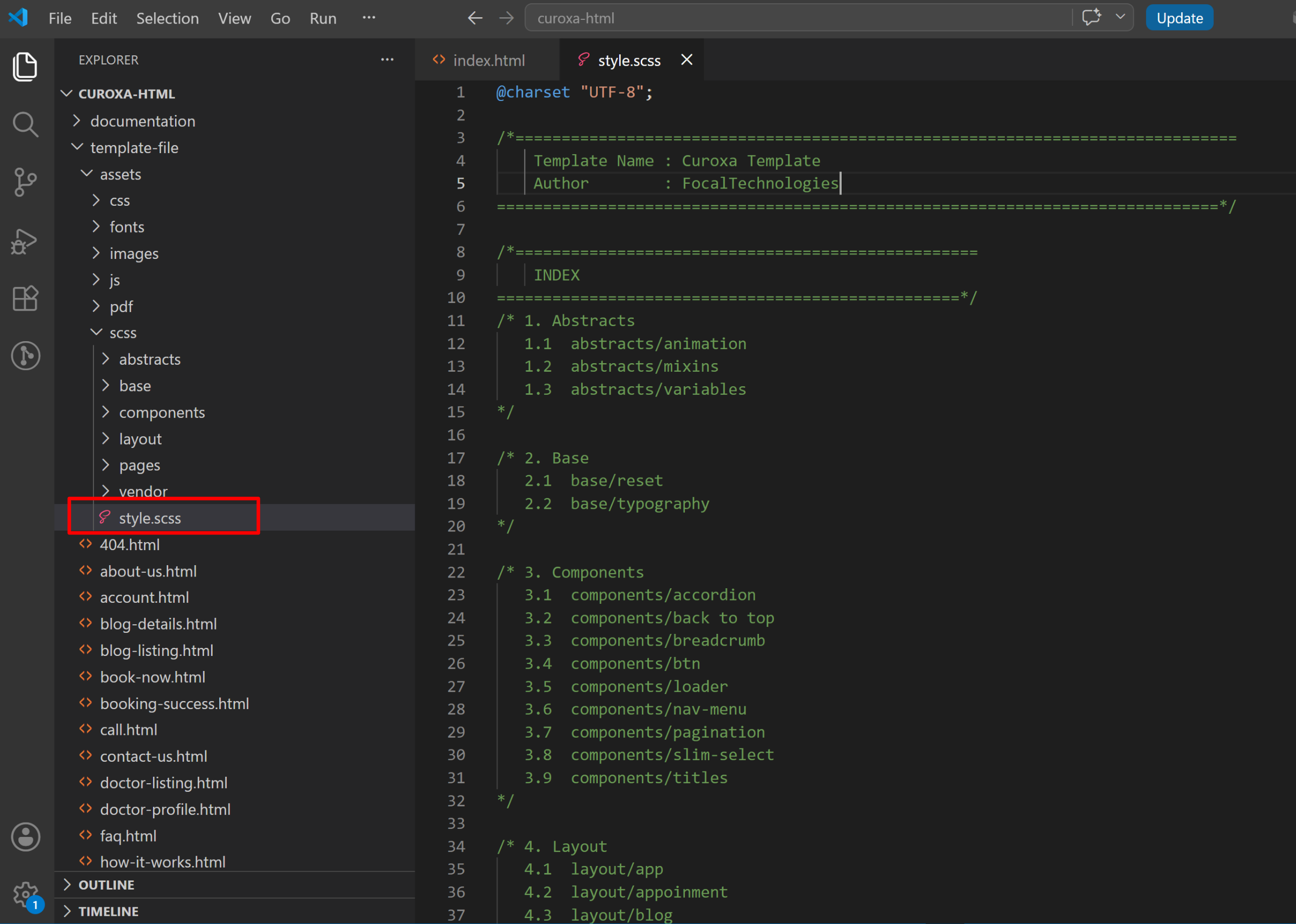
We have used the 7-tier SCSS structure to keep all styles clear and well-organized. This setup divides the SCSS files into sections like abstracts (variables and mixins), base styles, layout files, components, page-specific styles, themes, and vendor files. This makes it easy to find, edit, and manage the styling of the entire template without confusion.
CSS Strcuture
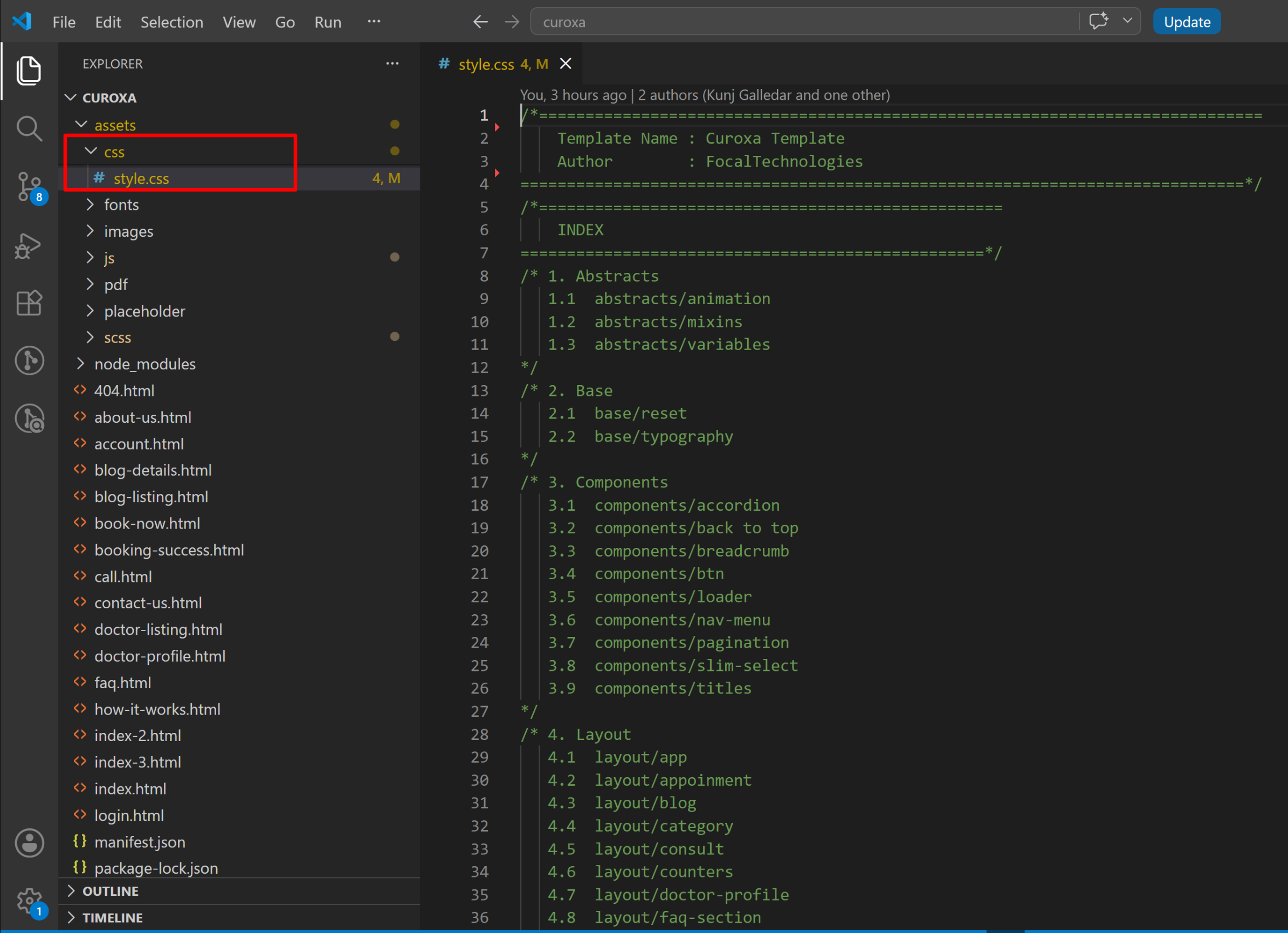
We use one main custom CSS file (style.css) along with multiple vendor CSS files. The overall CSS setup is simple and organized so you can easily manage custom styles.
JavaScript Strcuture
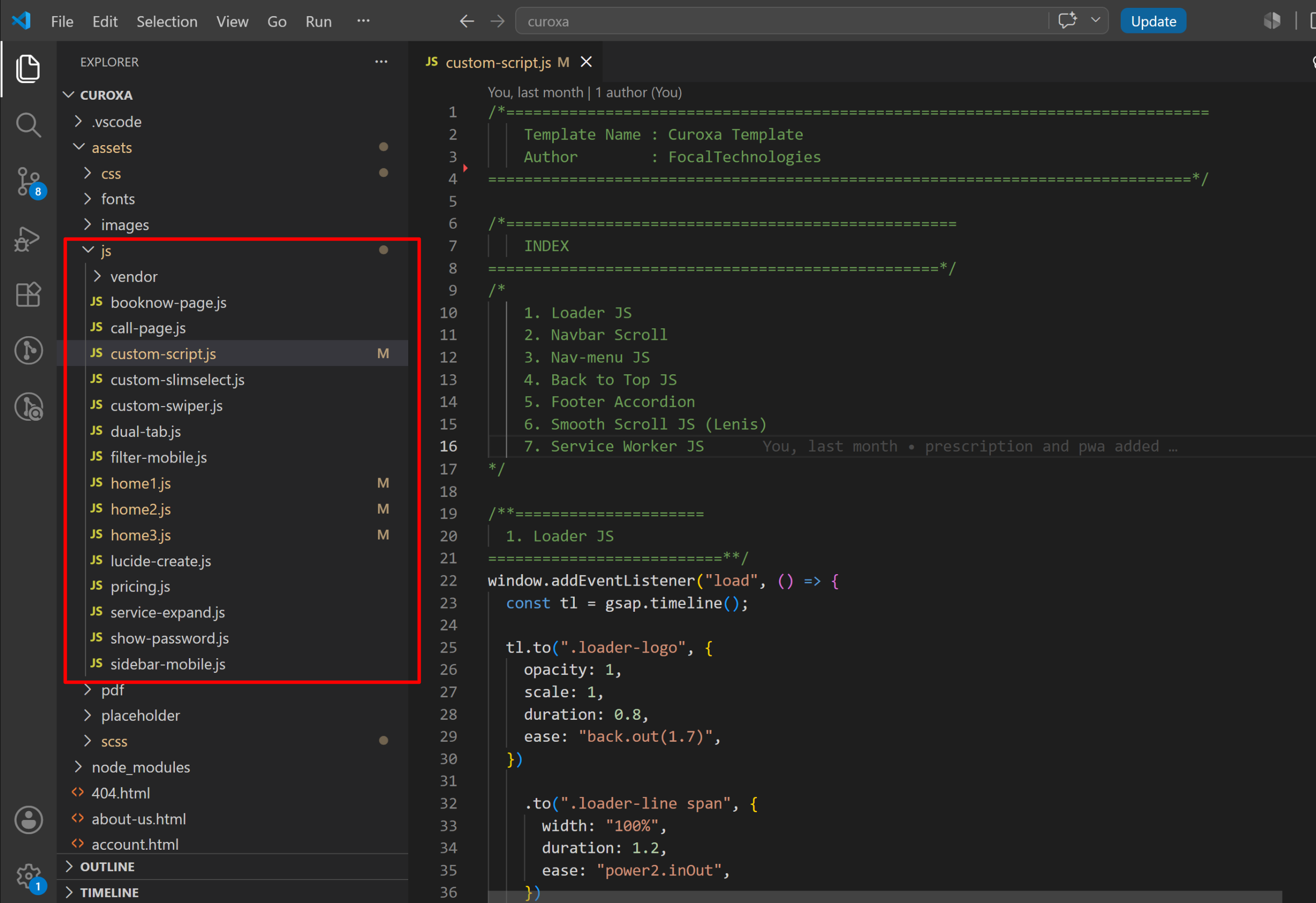
We have separate JavaScript files for each page to keep the code clean and easy to manage. Common functions are placed in custom-script.js, while page-specific features are stored in their own JS files inside the js folder. This makes it simple to edit or update scripts without affecting other pages.
Customization Guide
How to change the colors.
All colors in this template are defined using CSS variables inside the _variables.scss file. The colors are stored in RGB format so can easily adjust opacity using rgba().
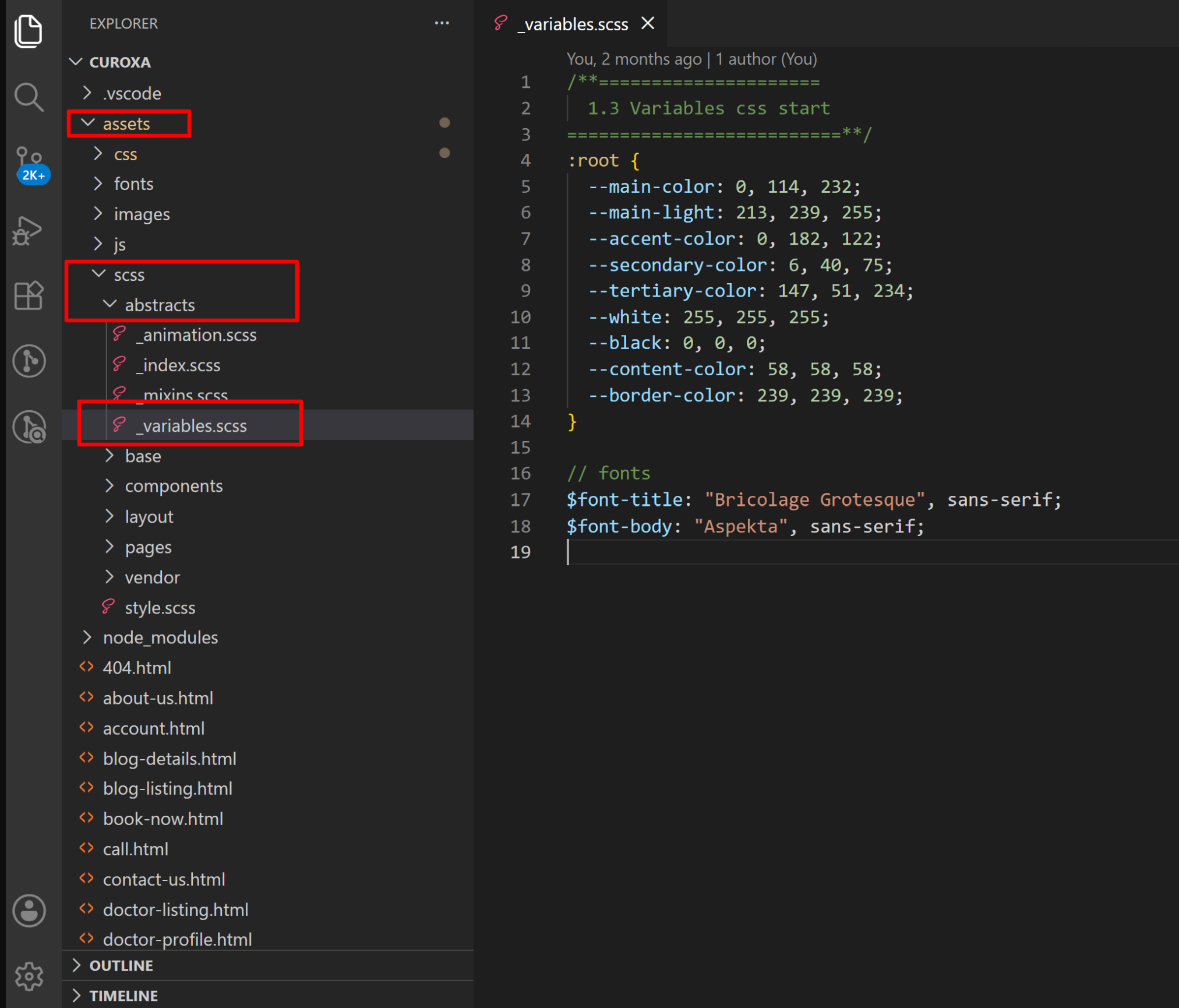
To change the main color, simply update the RGB values. For example, to set the main color to blue, change:
--main-color: 0, 114, 232; /* New main color */Since the colors are stored in RGB format, you must use rgba() to apply opacity.
color: rgba(var(--main-color), 1); /* Full opacity */
color: rgba(var(--main-color), 0.8); /* 80% opacity */
Change Favicon & Title
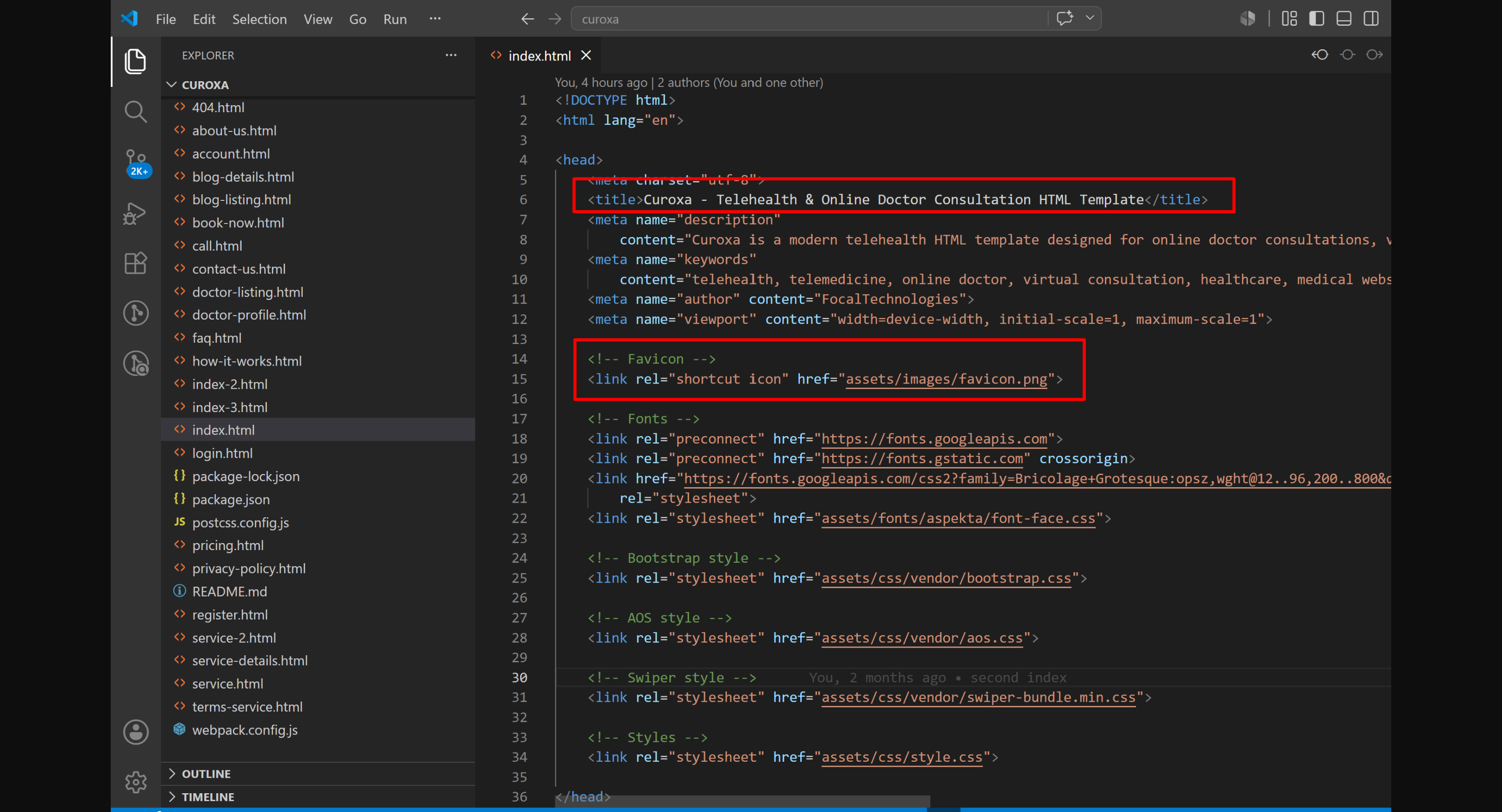
Change Favicon:
Replace the existing favicon inside the assets/images folder with your own favicon file (recommended size: 32x32px). Make sure the file name matches or update the path in the HTML head section:
Change Title:
Update the title tag in the index.html to set your own website title:
How to change Fonts
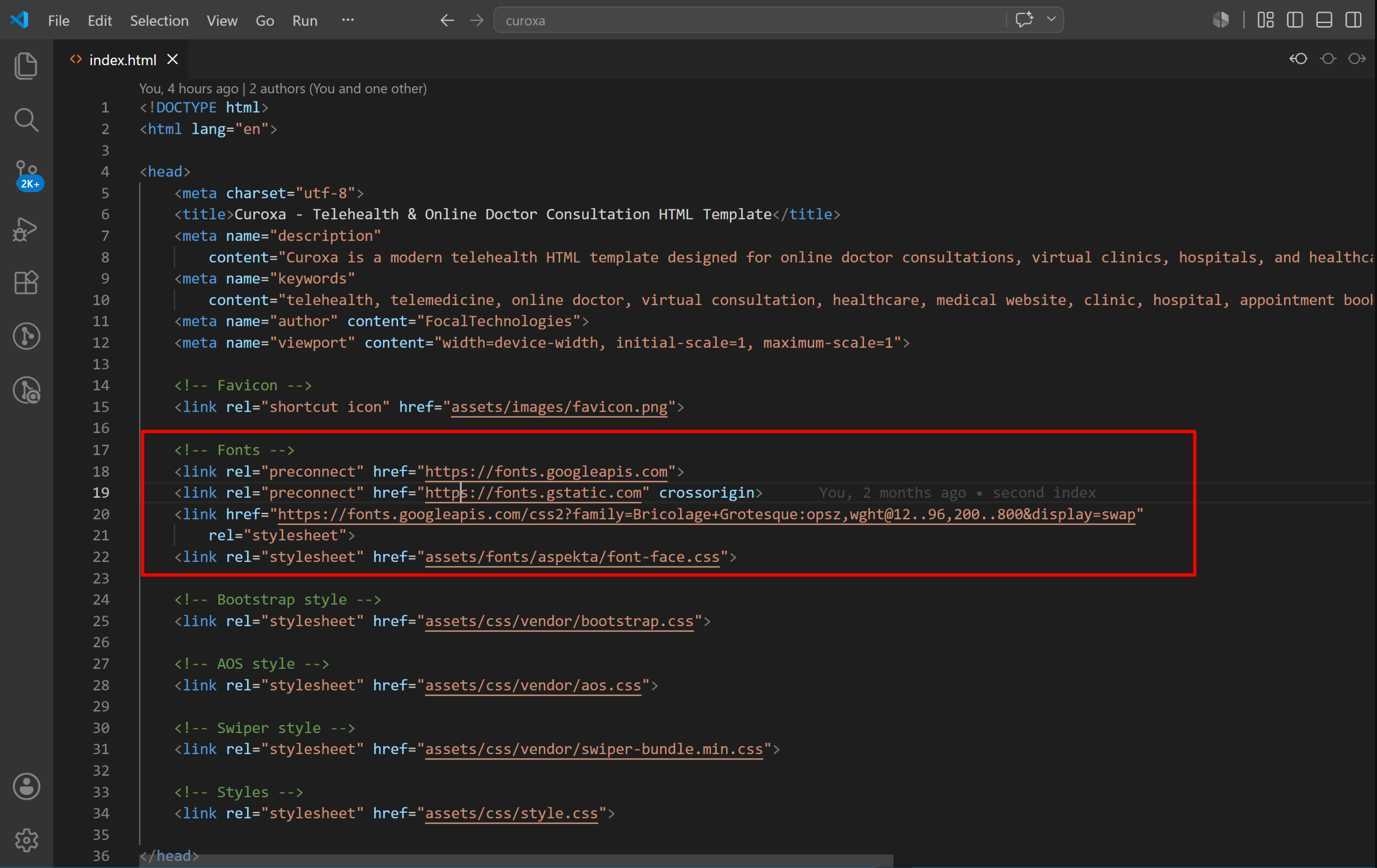
We have used 2 fonts, Aspekta and Bricolage Grotesque. Aspekta is locally installed fonts which is use in body. Bricolage is google fonts used in title.
To change the google font, go to the index.html (or any page you want to edit) and update the Google Fonts link in the Head section. After that, open style.css (or your SCSS files) and replace the current font-family with your new font name. Once saved, the new font will apply across the template.
Use Google Fonts to choose differnet fonts.
FAQs & Troubleshooting
Do I need any special
software to edit this template?
No. You can edit the template using any code editor like VS
Code, Sublime Text, or Notepad++.
No. You can edit the template using any code editor like VS Code, Sublime Text, or Notepad++.
Is this a WordPress
theme?
No. This is a static HTML template, not a WordPress theme.
It does not include a CMS.
No. This is a static HTML template, not a WordPress theme. It does not include a CMS.
Can I use this template
for multiple projects?
You can use it for one project per license. For multiple
projects, you need multiple licenses as per rules.
You can use it for one project per license. For multiple projects, you need multiple licenses as per rules.
How do I change text and
images?
Open the HTML file and edit the text directly. For images,
replace the image files in the assets/images folder and
update the image paths in the HTML.
Open the HTML file and edit the text directly. For images, replace the image files in the assets/images folder and update the image paths in the HTML.
Can I add my own
sections or pages?
Yes. You can duplicate an existing section or page and
customize it as needed.
Yes. You can duplicate an existing section or page and customize it as needed.
Are images included in
the download?
Most preview images are replaced with placeholders due to
licensing. You can add your own images.
Most preview images are replaced with placeholders due to licensing. You can add your own images.
Is the contact form
working?
The HTML template includes a basic form structure. To make
it fully functional, you need to connect it with a
server-side script (PHP, Node, etc.) or use a form service or you can
use free websites like fromspree.
The HTML template includes a basic form structure. To make it fully functional, you need to connect it with a server-side script (PHP, Node, etc.) or use a form service or you can use free websites like fromspree.
Can I remove animations
or effects?
Yes. You can disable GSAP or AOS animations by removing or
commenting out the relevant JS code.
Yes. You can disable GSAP or AOS animations by removing or commenting out the relevant JS code.
Will I receive updates?
Yes. Free lifetime updates are included.
Yes. Free lifetime updates are included.
What if I face an issue
using this template?
You can contact us for support through support
system.
You can contact us for support through support system.
Credits & Support
Credits
Support
If you face any issues with the template or need help with customization:
- Email Support: contact@focaltech.in
- Bug Reports: Include the error message, browser version, and steps to reproduce.
- Documentation: Please refer to the full documentation for installation and usage instructions.
We aim to respond to all support queries within 12–24 hours on business days.